Overview
JuryArena is an open-source evaluation tool for comparing multiple LLMs in an arena format using your actual production prompts.
You can relatively compare model response quality in a way close to real-world tasks, without defining ground truth or scoring rubrics in advance.
- Use your actual production prompts for evaluation.
- Automatically compare multiple models under identical conditions in arena format.
- Relatively evaluate subjective quality using LLM-as-a-Judge pairwise judgments.
- Directly evaluate real-world use cases such as RAG, agents, and chatbots.
- The entire evaluation process is saved as traces, allowing you to review judgments later.
- Continuously select models based on real-world tasks without designing ground truth data.
Arena Format
Arena format is a general evaluation method that pits multiple participants against each other in pairs, updates ratings based on win/loss results, and calculates relative rankings.
JuryArena applies this arena format to LLM evaluation, calculating relative quality by directly comparing model outputs.

- 1-on-1 matches using the same prompt (e.g., LLM A vs LLM B)
- Ratings change based on win/loss results
- Repeat matches with different pairs to build rankings
Dataset
JuryArena includes sample data (templates) so you can start evaluating right away. You can begin evaluation without preparing your own data.
Datasets are fundamentally structured in the following formats.
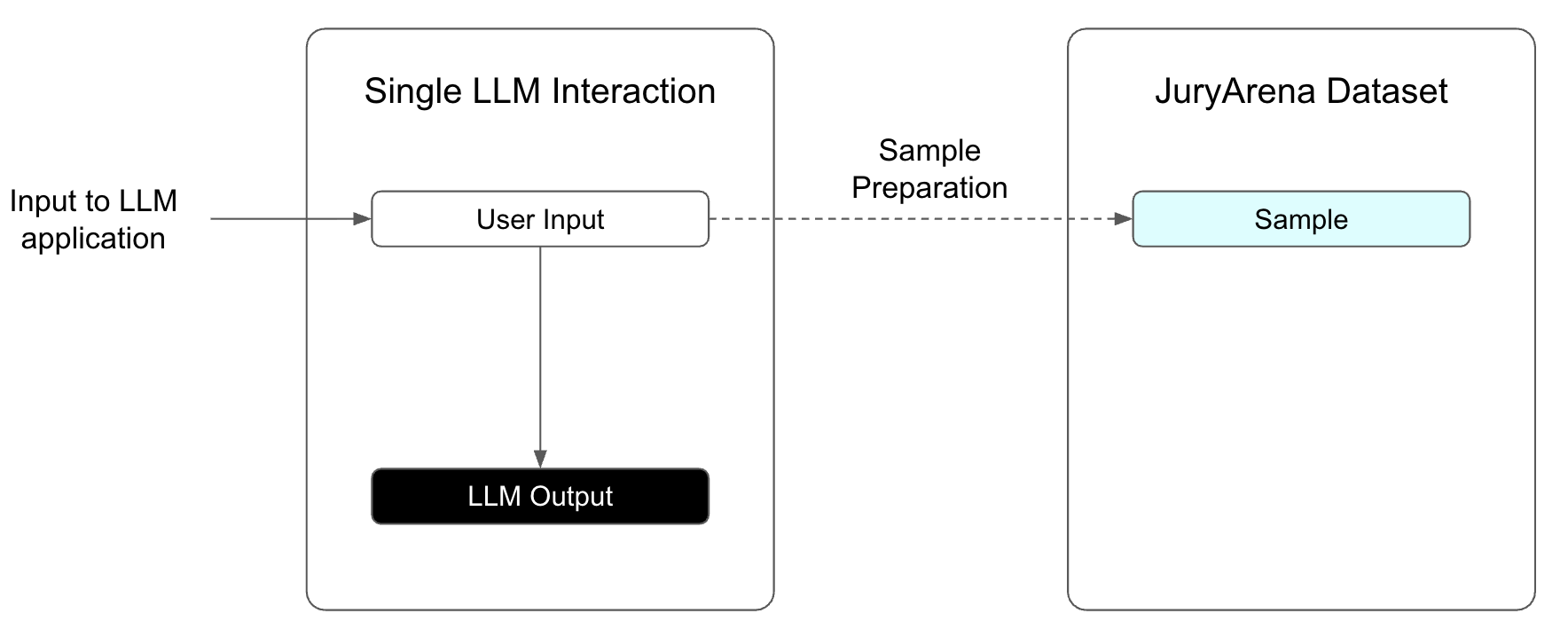
Single-turn
Create a sample from an input prompt. For details, see Data Format.
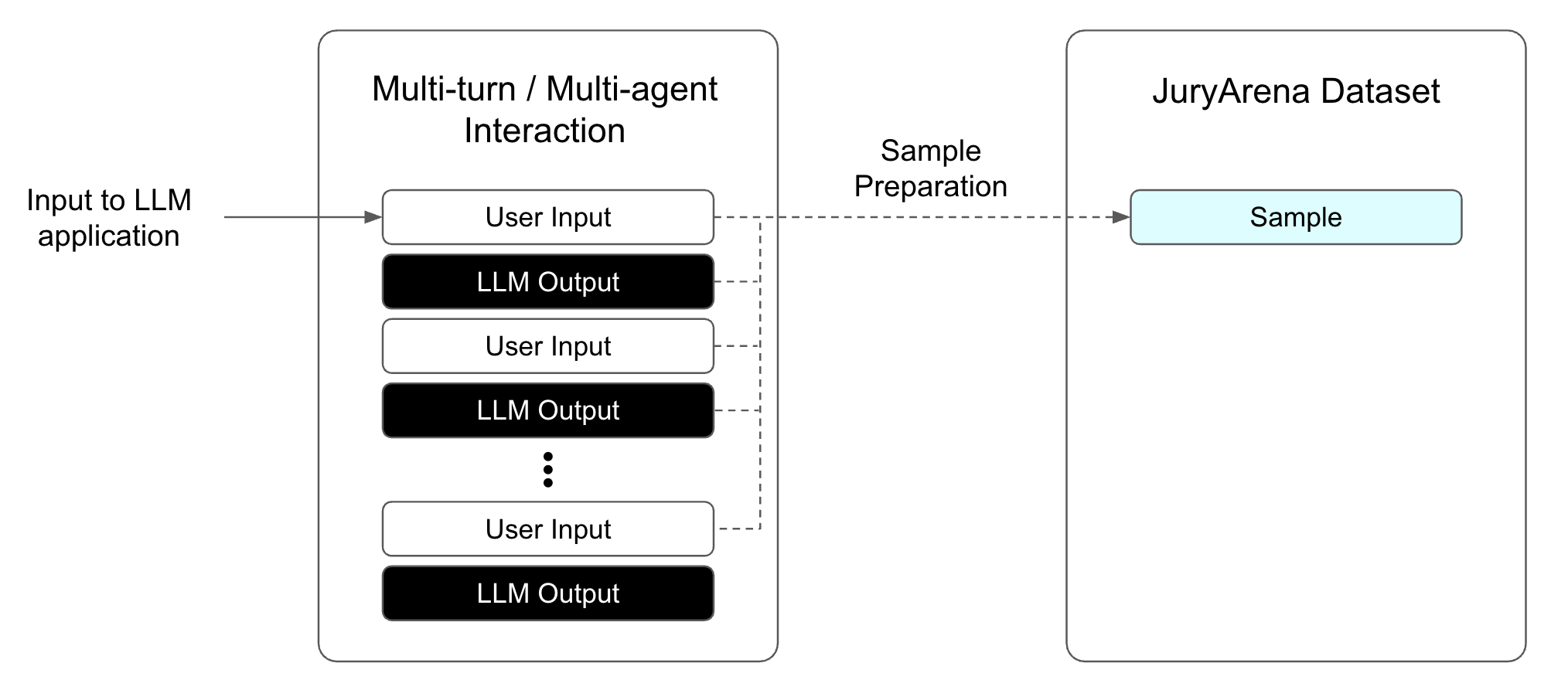
Multi-turn
A series of conversation history is treated as a single Sample. The entire conversation history is provided as context, and the LLM's response quality to the last User Input is evaluated.
Example:
{
  "input": {
    "messages": [
      {
        "role": "user",
        "content": "Write a haiku about programming."
      },
      {
        "role": "assistant",
        "content": "Silent lines of code\nLogic flows in quiet streams\nNight glows with blue light."
      },
      {
        "role": "user",
        "content": "Make it more hopeful."
      }
    ]
  },
  "usage_output": null
}
Next Steps
Head to Quick Start to begin setup.